Jotter: A Fast In-Tab Scratchpad
Jotter is a keyboard-activated scratchpad designed to help you take notes quickly and efficiently. Developed by itsdavebot, this free Chrome add-on is perfect for those who find app-switching distracting and prefer to record their thoughts in the moment. Jotter allows you to process and commit your notes to a more robust note-taking app later.
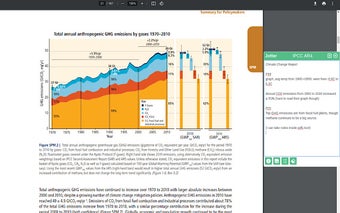
One of the key benefits of Jotter is its ability to assist with various tasks. Whether you're conducting research across multiple tabs, taking minutes during video calls, reading industry reports and papers, or copying important information from how-to guides, Jotter makes it easy to jot down your thoughts without interrupting your workflow.
Jotter offers several useful features to enhance your note-taking experience. It provides a quick-copy shortcut that allows you to paste highlighted text directly into your editor, even from PDFs. Each note in Jotter includes a bibliography, enabling you to easily refer back to your sources. You can also tag, stash, and retrieve your notes for better organization. Additionally, Jotter integrates seamlessly with Google Drive and Notion, allowing you to export your notes when you're finished.
To toggle Jotter, simply use the "Open Jotter" keyboard shortcut, which is set to "Ctrl/Cmd+Shift+Space" by default.
Please note that if you encounter any bugs or have suggestions for improvement, you can contact the developer at